


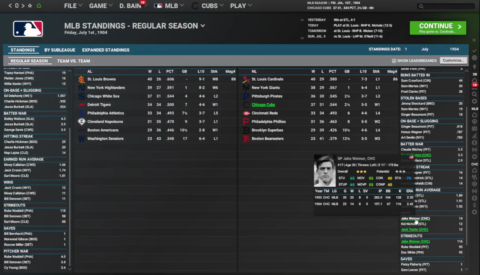
Why is this organization called the “Actuals”? When I wrote my first book, “Hardball Retrospective”, I placed every player on the first team which they signed a professional MLB contract with. I called those teams the “Originals” while calling their real-life counterparts the “Actuals”. I sometimes refer to the “Actuals” as the “Franchise Best Players”. There will be instances where the same player appears on multiple teams, such as Tom Seaver ’75 (Mets) and Tom Seaver ’78 (Reds), or Rod Carew ’77 (Twins) and Rod Carew ’79 (Angels) . However, you will only find one player-season for a given team on a half-decade roster (i.e. Joe Morgan’s best season from 1975 through 1979 based on Win Shares is his 1975 campaign, so that is the version of Morgan that appears on the 1975-1979 Reds roster.)
Methodology
I devised a series of rules that govern the creation of my “Actuals” leagues. For OOTP, there are a number of settings that I enable or disable to achieve my desired rules and league structure.
Initial setup:
New Game -> New Historical Game
- Default Mode enabled
- Uncheck Import complete history up to XXXX
- No Minor Leagues
- No Fictional Pictures
- Game Name: HBRetro-Actuals–YYYY-ZZZZ where YYYY is the first year in the half-decade and ZZZZ is the last year.
- Starting Year -> use the last year (ZZZZ), Auto-Save daily
- GM & Manager role, Play in Commissioner Mode and Cannot be fired
- Game Settings -> League Settings -> Functions -> Under Roster Functions, select Clear Rosters.
- MLB -> Transactions -> Free Agents -> All Free Agents. Click the Actions drop-down and select Delete all free agents.
- optional: In certain expansion seasons, it is necessary to delete some of the Actuals half-decade teams from the league as there are not enough player-seasons to field a competitive team.
- Game Settings -> Global Settings -> Uncheck Use Coaching System and uncheck Enable Storylines.
- Players & Team -> Place a checkmark next to Disable Player Development Lab and Disable Player Development Focus.
- FaceGen -> Change Picture Search Mode to Search for photo first.
- League Settings -> Rules -> Place checkmark next to AL Designated Hitter Rule and NL Designated Hitter Rule.
- Change the Active Roster size to 25. and the Expanded Roster Size to 40.
- Uncheck Enable Trading and Enable Amateur Draft. Ensure that Disable automatic creation of free agents is checked.
- League Settings -> Historical -> Uncheck Automatically Expand League, Automatically adjust league strategy when advancing to next season, Retire players according to history, Players miss seasons according to history and Automatically import historical rookies.
- League Settings -> Stats & AI -> change Typical Starting Rotation Size to 4 Man Rotation for seasons between 1900-1970.
- Manager – Manager Options – Set Active Roster Moves (Demotions, Promotions, IL, etc) to Computer AI. Set all other Team Control Settings to the human manager.
- Update the team ID’s in the text file that you will use for importing historical players to use the Abbreviation listed in Team Settings for each team.
- MLB -> Transactions -> Free Agents -> All Free Agents. Click the Actions drop-down and select Import Historical Player(s). Keep the defaults on the Select the historical_database.odb file dialog box, then click CONFIRM.
- Import Historical Players from text file -> In the field to the right of OR select text file containing numerous entries, click on Click here to select my CSV file. Change Ratings Calculation Base to 1 year, and Base Fielding Ratings and Base Pitching Stamina each to Imported Season. Change Double weight on current year stats to No, then click Import Player to initiate the import process.
I configure the active and reserve rosters, starting lineups vs. RHP and LHP, starting rotations, and bullpen assignments for every team, then make a backup copy before starting the season replay.
- DH is used for all teams
- 25-man active roster, 15 players in reserves
- must have 2 active catchers
- active rosters consist of 15 batters/10 pitchers or 14 batters/11 pitchers
- vsRHP, vsLHP and starting rotations are generally based on the highest Win Shares single-season totals for each position
- schedules generated using the format utilized during that timeframe
The following videos include a recap of the regular season standings and league leaders, American and National League playoff recap, and individual World Series game videos.
Regular Season Recap

Standings and League Leaders – coming soon!


